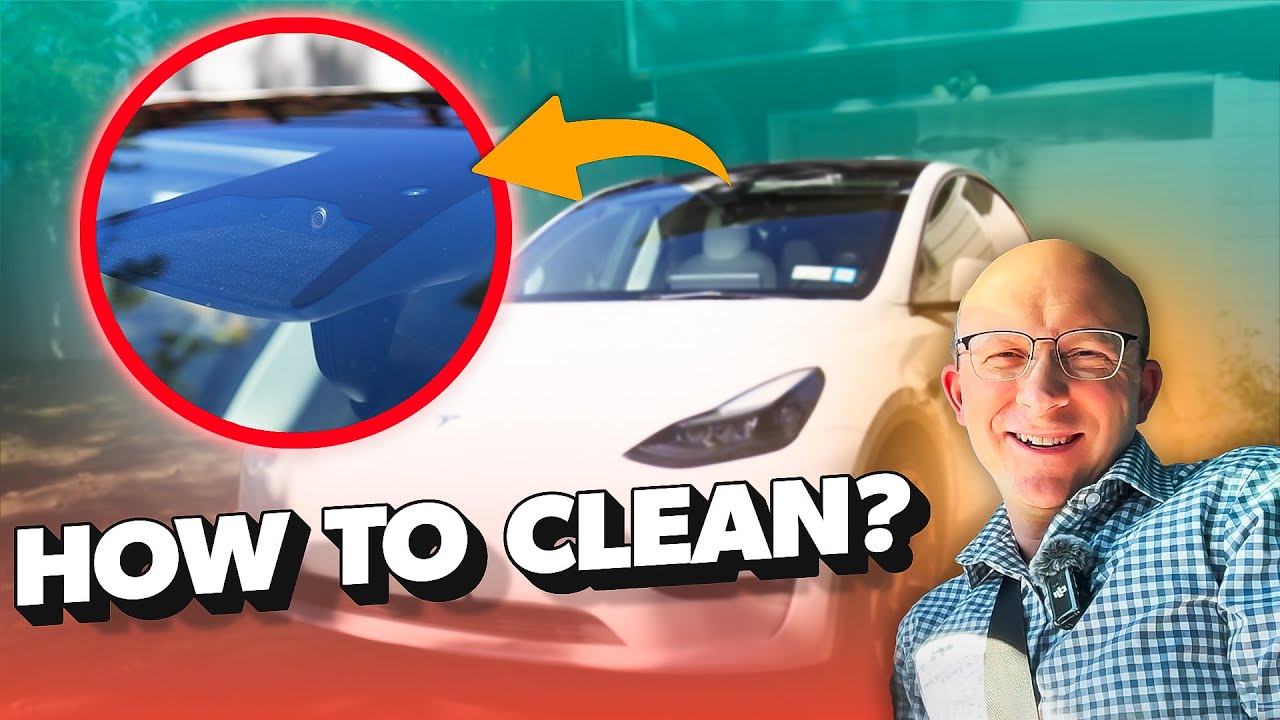
Your Tesla’s windshield camera plays a crucial role in keeping you safe and enhancing your driving experience. But have you ever stopped to think about how clean it really is?
A dirty camera lens can blur the view, affect performance, and even cause errors. If you want your Tesla to work at its best, knowing how to properly clean your windshield camera is a must. In this guide, you’ll discover simple, effective steps to keep your camera crystal clear—so you can drive with confidence every time.
Keep reading to learn exactly what you need to do.

Credit: www.youtube.com
Why Clean Your Tesla Windshield Camera
Cleaning your Tesla windshield camera is important. This camera helps your car see the road and surroundings clearly. Dirt or dust on the lens can block its view. A clean camera helps your Tesla work better and keeps you safe.
Impact On Safety And Performance
The windshield camera helps with features like Autopilot and emergency braking. Dirt or smudges can make these features less accurate. A dirty camera lens can cause wrong signals or delays. This can lead to unsafe driving situations. Keeping the camera clean supports better safety and smoother driving performance.
Common Causes Of Dirt And Debris
Road dust and mud often stick to the camera lens. Rain can leave water spots that blur vision. Bugs and leaves can also block the camera view. Even car wash residue or fingerprints can reduce clarity. Regular cleaning removes these common blocks quickly.
Tools Needed For Cleaning
Cleaning the windshield camera on your Tesla requires the right tools. Using proper materials ensures the camera stays clear without damage. This section lists what you need and what to avoid for safe cleaning.
Recommended Cleaning Materials
Use a soft microfiber cloth to clean the camera lens gently. Microfiber traps dust and dirt without scratching the glass. A small spray bottle with distilled water helps remove grime safely. For tougher spots, mix a mild soap with water. Avoid harsh chemicals that may damage the camera cover. Use cotton swabs for hard-to-reach areas around the camera. Always dry the lens with a clean, dry microfiber cloth to prevent streaks.
Items To Avoid
Never use paper towels or tissues. They can scratch the lens surface. Avoid ammonia or bleach-based cleaners. These chemicals can cloud the camera lens or damage seals. Do not use abrasive pads or brushes. They may leave permanent marks. Avoid high-pressure water sprays close to the camera. Water can seep inside and cause damage. Skip using household glass cleaners with strong chemicals. Stick to mild, safe solutions only.
Preparing Your Tesla For Cleaning
Preparing your Tesla for cleaning is the first step to protect its sensitive parts. The windshield camera is delicate and needs care before you start cleaning. Taking simple precautions helps avoid damage and keeps the camera working well.
Follow these easy steps to get your Tesla ready. This way, you clean safely and maintain your car’s advanced features.
Parking And Powering Down
Park your Tesla on a flat surface. Turn off the car completely. This stops any automatic movements or alerts during cleaning. Use the Tesla app or the key to power down. Wait a few minutes to let the system shut off fully. This reduces the risk of electrical issues while cleaning.
Protecting The Camera Area
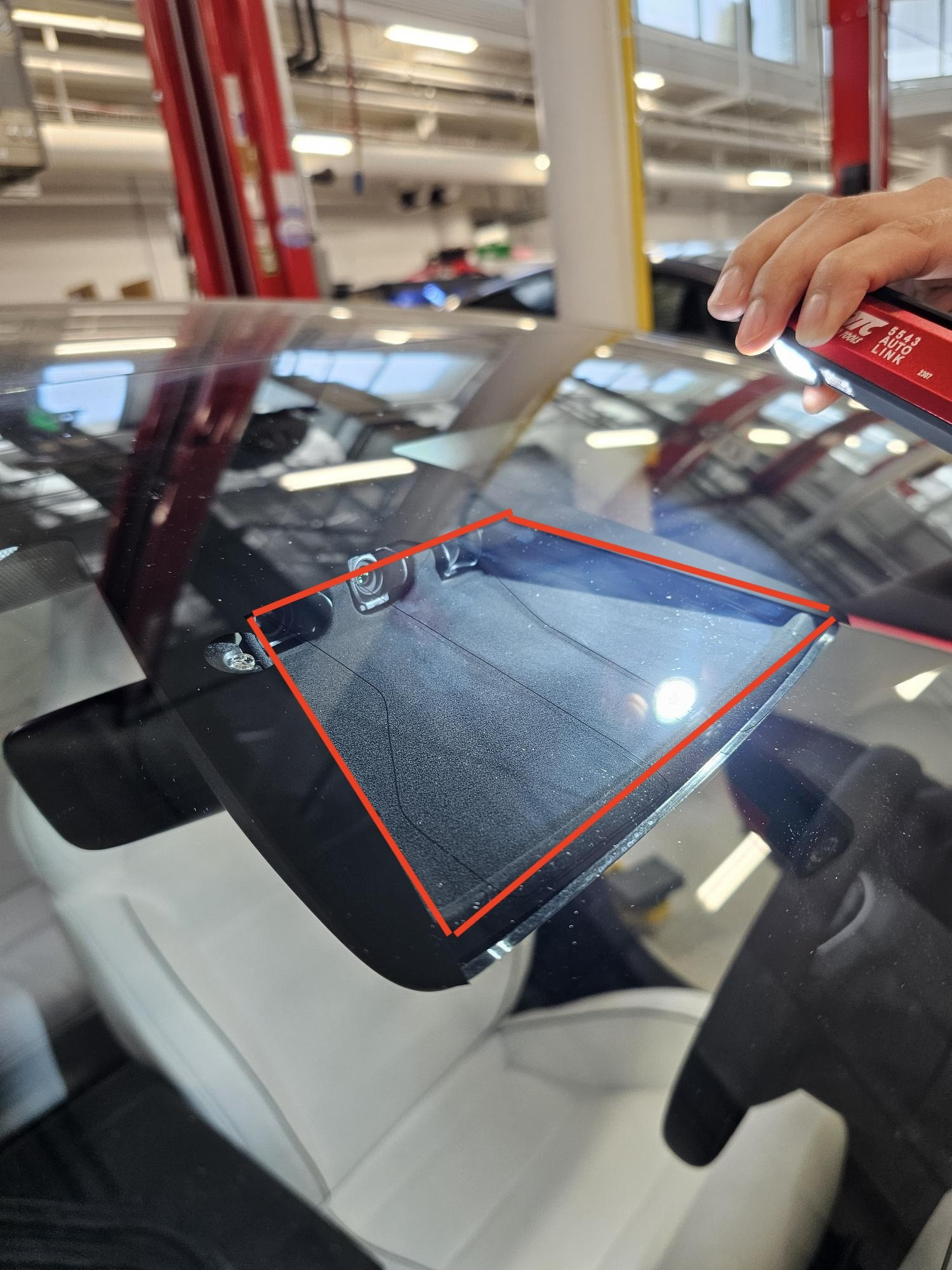
Look closely at the windshield camera location. Avoid touching or pressing it hard. Use soft cloths or covers to shield nearby parts. Do not spray cleaning liquid directly on the camera. Instead, apply cleaner to the cloth first. These steps keep the camera lens safe from scratches and moisture.
Step-by-step Cleaning Process
Keeping the windshield camera of your Tesla clean is essential for clear vision and safety. Dirt, dust, and smudges can blur the camera’s view. A clean lens helps the camera perform better. Follow these simple steps to clean it properly.
Initial Dust Removal
Start by gently brushing off loose dust and dirt. Use a soft brush or a microfiber cloth. Avoid pressing hard to protect the lens. Removing loose particles first prevents scratches later.
Applying Cleaning Solution
Use a gentle cleaning solution made for lenses or glass. Lightly spray it on the cloth, not directly on the camera. Too much liquid can damage the electronics. Choose a solution without ammonia or harsh chemicals.
Gentle Wiping Techniques
Wipe the lens softly in small circles. Do not rub too hard. Use a clean, dry microfiber cloth for this step. Gentle wiping prevents scratches and removes smudges effectively.
Drying The Camera Lens
Let the lens air dry or use a dry part of the microfiber cloth. Ensure no moisture remains on the lens. A dry lens keeps the camera clear and ready to work well.
Tips To Maintain Camera Clarity
Maintaining the clarity of your Tesla’s windshield camera is vital for safety and optimal performance. Clean and clear cameras capture better images and help the car’s systems work smoothly. Follow simple tips to keep your camera lens spotless and fully functional.
Regular Cleaning Schedule
Set a routine to clean the camera lens often. Dirt, dust, and water spots can blur the lens quickly. Use a soft microfiber cloth to wipe the lens gently. Avoid harsh rubbing to prevent scratches. Clean more frequently during bad weather or dusty roads.
Using Protective Coatings
Apply a clear protective coating on the camera lens. These coatings repel water and reduce dust buildup. Choose coatings made for glass surfaces. This helps keep the lens cleaner for longer periods. Reapply the coating as needed for best results.
Avoiding Harsh Conditions
Protect the camera from extreme weather and strong impacts. Avoid parking under trees where sap or bird droppings may fall. Keep the car away from heavy dust or construction areas. Shield the lens from ice and snow by warming the car before driving.
Credit: www.youtube.com
Troubleshooting Camera Issues
Troubleshooting camera issues in your Tesla is key to keeping your windshield camera working well. The camera helps with safety features like Autopilot and parking. Problems can cause wrong signals or fail to record important footage.
Regular checks and quick fixes often solve minor glitches. Knowing the signs of camera malfunction helps you act fast. Sometimes, the problem needs expert care to avoid bigger damage.
Signs Of Camera Malfunction
Look for blurry or dark images on the screen. The camera may not detect obstacles or lane markings clearly. Warning messages about camera failure can appear on your dashboard. The Autopilot system might stop working or show errors. Sudden changes in camera view or freezing images also indicate trouble. Dirt and smudges on the lens can cause these problems.
When To Seek Professional Help
If cleaning the camera lens does not fix the issue, consult a Tesla service center. Persistent warning lights or error messages require expert diagnosis. Physical damage to the camera or wiring needs professional repair. Avoid trying to open or fix the camera yourself to prevent more damage. Skilled technicians have the right tools to test and fix the camera system safely. Early professional help keeps your Tesla’s safety features reliable.
Credit: service.tesla.com
Frequently Asked Questions
How Often Should I Clean My Tesla Windshield Camera?
Clean the Tesla windshield camera every 2 to 4 weeks. Frequent cleaning ensures clear vision for safety features. Dust, dirt, and debris can block the camera’s view. Regular maintenance helps maintain optimal performance of Tesla’s autopilot system.
What Materials Are Safe To Clean Tesla Windshield Cameras?
Use a microfiber cloth and mild glass cleaner to clean the camera. Avoid abrasive materials or harsh chemicals that can scratch or damage the lens. Soft, lint-free cloths gently remove dirt without harming the camera’s sensitive surface.
Can I Use Water To Clean Tesla Windshield Cameras?
Yes, use clean water with a microfiber cloth for light cleaning. Avoid spraying water directly on the camera to prevent moisture damage. Gently wipe the lens to remove dust or smudges without causing harm.
Why Is Cleaning Tesla Windshield Camera Important?
Cleaning ensures the camera captures clear images for Tesla’s safety systems. Dirty lenses reduce the effectiveness of autopilot and driver-assist features. Proper cleaning improves vehicle safety and driving accuracy.
Conclusion
Keeping your Tesla’s windshield camera clean helps maintain clear vision. Dirt and smudges can block the camera’s view and affect safety features. Use a soft cloth and gentle cleaner to wipe the lens carefully. Regular cleaning ensures the camera works well every time you drive.
Small efforts make a big difference in camera performance and road safety. Stay attentive and keep your Tesla’s camera in good shape for best results. Simple steps, better driving.
Leave a Reply